

Everything on a charting screen has a name, and the company that built it publishes all of them. The film above is the tour, and what follows is the same window with every part written down.
Almost the whole difficulty of a first hour comes down to one thing. You cannot look up a button whose name you do not know.
Every control on this screen belongs to one edge of it, and the edge is how you find your way back.
One thing first. The chart is called Supercharts, which names this product rather than the company, and it is the word to type when you go looking for help.
Four edges and a chart
The window is a rectangle with a strip of controls along each edge and the price drawn in the middle.
Across the top sits everything that changes what the chart IS: the market, the span of time in one candle, the kind of chart, what is drawn on top, alerts, replay and your saved layouts.
Down the left is everything you draw ON the chart, sorted into groups. Down the right are panels rather than controls, the top one being your watchlist. Along the bottom runs a row for time.
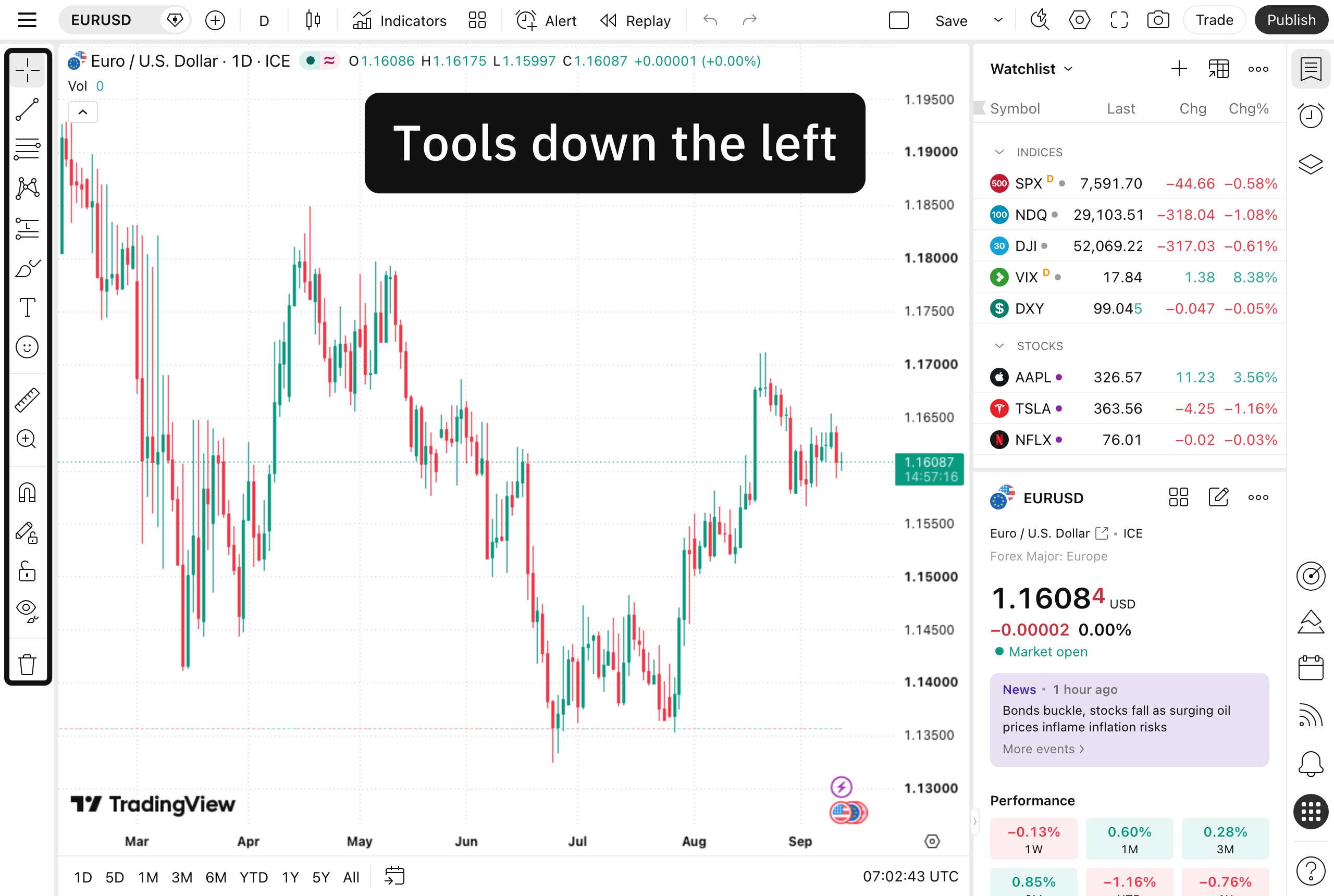
Four edges around one chart, and the ringed column down the left is the one that holds every drawing tool, in the same way each of the other three edges holds one kind of control and nothing else. Charts by TradingView.
Four edges, one pane. Learn which edge a job belongs to and the hunting is down to about eight buttons.
When it has moved
Software gets rearranged, and a guide with pictures in it goes out of date the day something shifts. So here is the move that always works. Hover the control until its own tooltip appears, then take that exact wording, type it into the vendor's help pages, and read the article they give you beside your own screen.
"What does this one call itself, and what does its own help page show?"
Two sentences that outlast any version of the screen, and the one thing to take from this lesson if you take nothing else. If the answer still will not come, ask whoever handed you the book rather than spend an afternoon clicking.
The line above the candles
Top left of the chart, sitting over the candles rather than beside them, there is a short line of small text. It is called the legend, and the settings box calls it the status line.
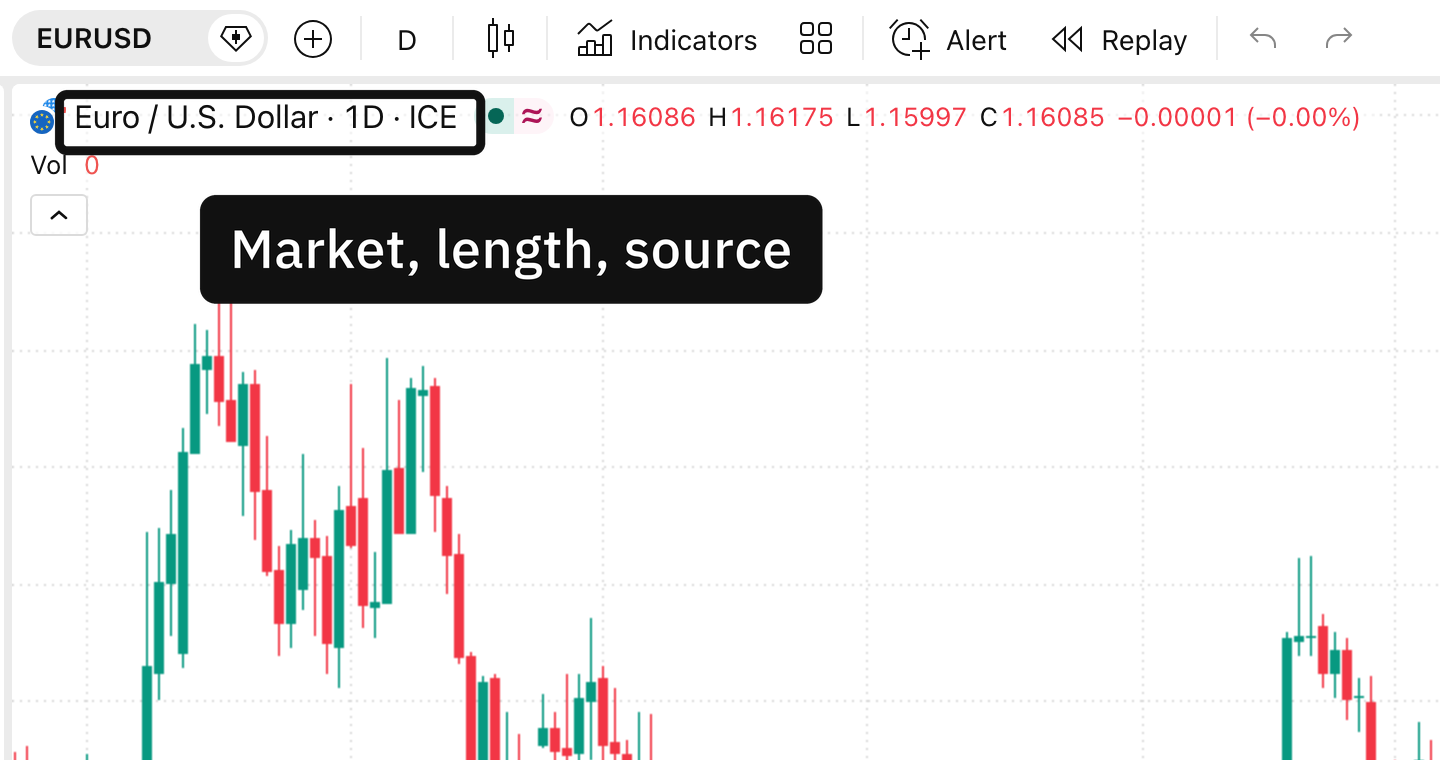
The short line of writing sitting over the candles, which gives the market, then the candle length, then the name of the feed the prices are coming from. Charts by TradingView.
It names the market, how much time each candle covers and where the prices come from, and hovering any candle puts that candle's four figures on the same line. Every indicator you add later writes its own name and numbers there too, which is where the next few lessons keep sending you.
Numbers down one side, dates along the other
The column of figures down the right of the pane is the price scale, and the row of dates along the bottom is the time scale. Both names are the settings box's own, so both are safe to search.
Underneath the time scale sits a separate row of shortcuts for jumping to a stretch of dates, plus a Go to menu for one day. That row is not part of the scale and lesson 2 comes back to it.
The top strip changes what the chart is
The left rail changes what is drawn on it
The right rail opens panels beside it
The bottom row changes how much of it you see
The vendor writes some of these two ways in its own pages, calling the top strip both the top toolbar and the upper toolbar, and the bottom row both the bottom panel and the bottom toolbar. Naming them by their edge survives either.
A name read off a tooltip on your own screen beats a name read off anybody's picture, including ours.
Which leaves the pane in the middle, and how much room one candle gets in it, so the shape you can see depends on how many you have asked for.
Where these facts come from
The names of the four strips, the two scales and the shortcut row underneath were read off the platform's own help pages on the day this was written, and it can move any of them. That the same strip is described two ways is on those pages as well rather than being a mistake here. What the legend holds is described from the picture above, because the vendor publishes no list of it.